Orientation: Getting Started with Your Platform
6. Quizzes — How Timed Assessments Work
Every module in this programme ends with one or more knowledge-check quizzes. Every quiz in the LDM follows the same shape, agreed once and used everywhere: 20 questions, drawn at random from a bank of 60, on a 25-minute timer, with an 80% pass mark and a maximum of two attempts (one original attempt and one retake).
Here is what actually happens when you open a quiz:
- You will see a summary page first — the number of attempts allowed, the time limit, and the pass mark. Nothing starts until you click Attempt quiz now.
- Once you click it, the clock starts. A countdown timer appears, usually in the corner of the screen, and does not stop or pause once begun — so make sure you are ready, undistracted, and have the full 25 minutes free before you click.
- Questions appear with a navigation panel letting you jump between them and flag any you want to revisit.
- You can change your answers as many times as you like before submitting, and move backward and forward freely within the attempt.
- When you are ready — or when time runs out, whichever comes first — click Finish attempt, then Submit all and finish on the confirmation screen.
After submitting, you will usually see your score straightaway, along with which questions you answered correctly and often the correct answers themselves, depending on how that particular quiz is configured. If you do not pass, you are permitted one further attempt, drawing a fresh set of 20 questions from the same bank of 60.
To feel this rhythm once, gently, before anything is at stake, take the Practice Quiz in this section. It asks about the platform itself, not theology, and you may take it as many times as you need.
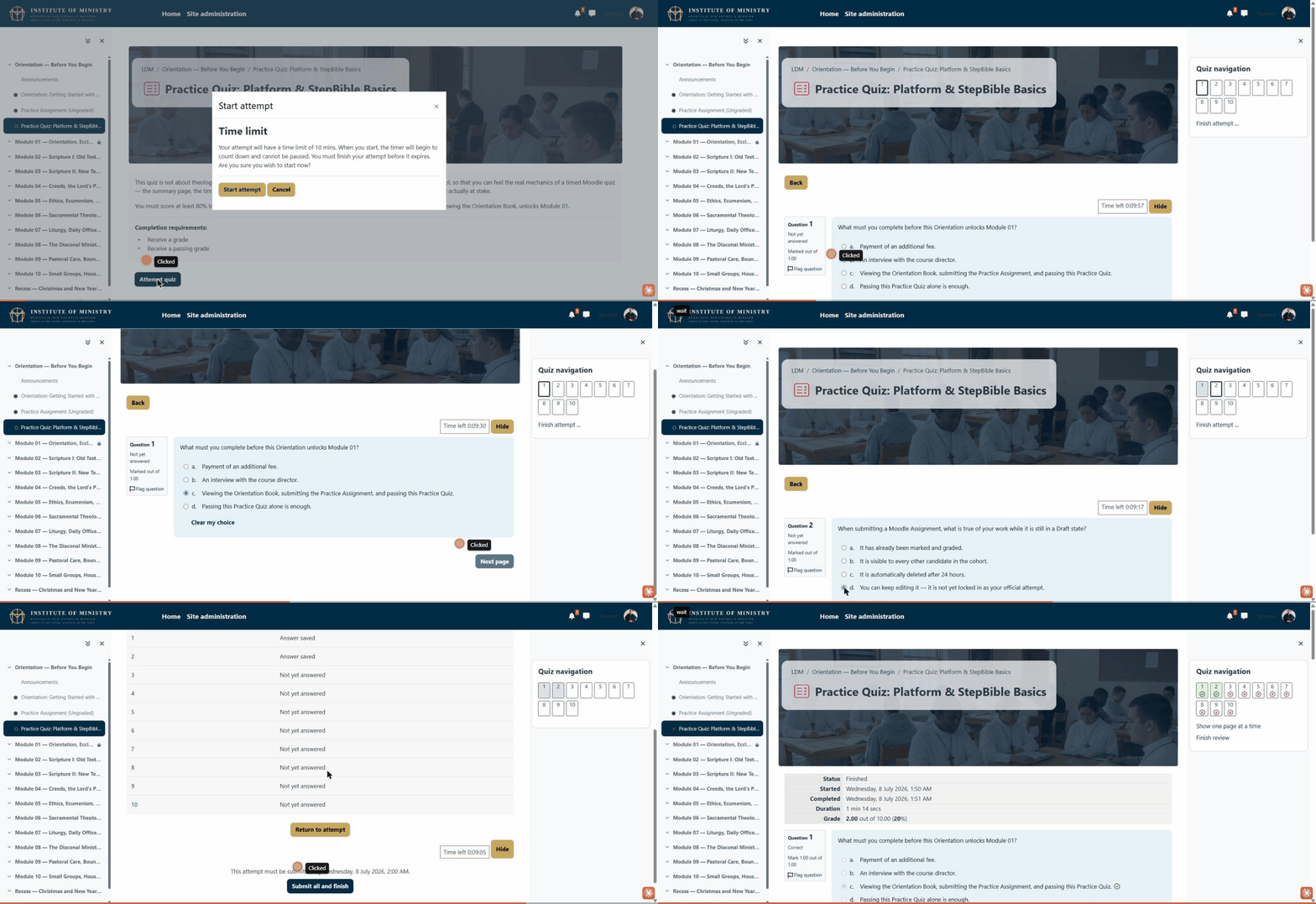
The short recording above shows this in action: starting the quiz, answering a question, and submitting the attempt.