
Unit 6 — Opening a unit and moving between activities
Approximate time for this unit: 4 minutes
You will use the same simple movement throughout the learning site.
- Choose an activity title on the course page or in the course index.
- Read or work through the activity from the top.
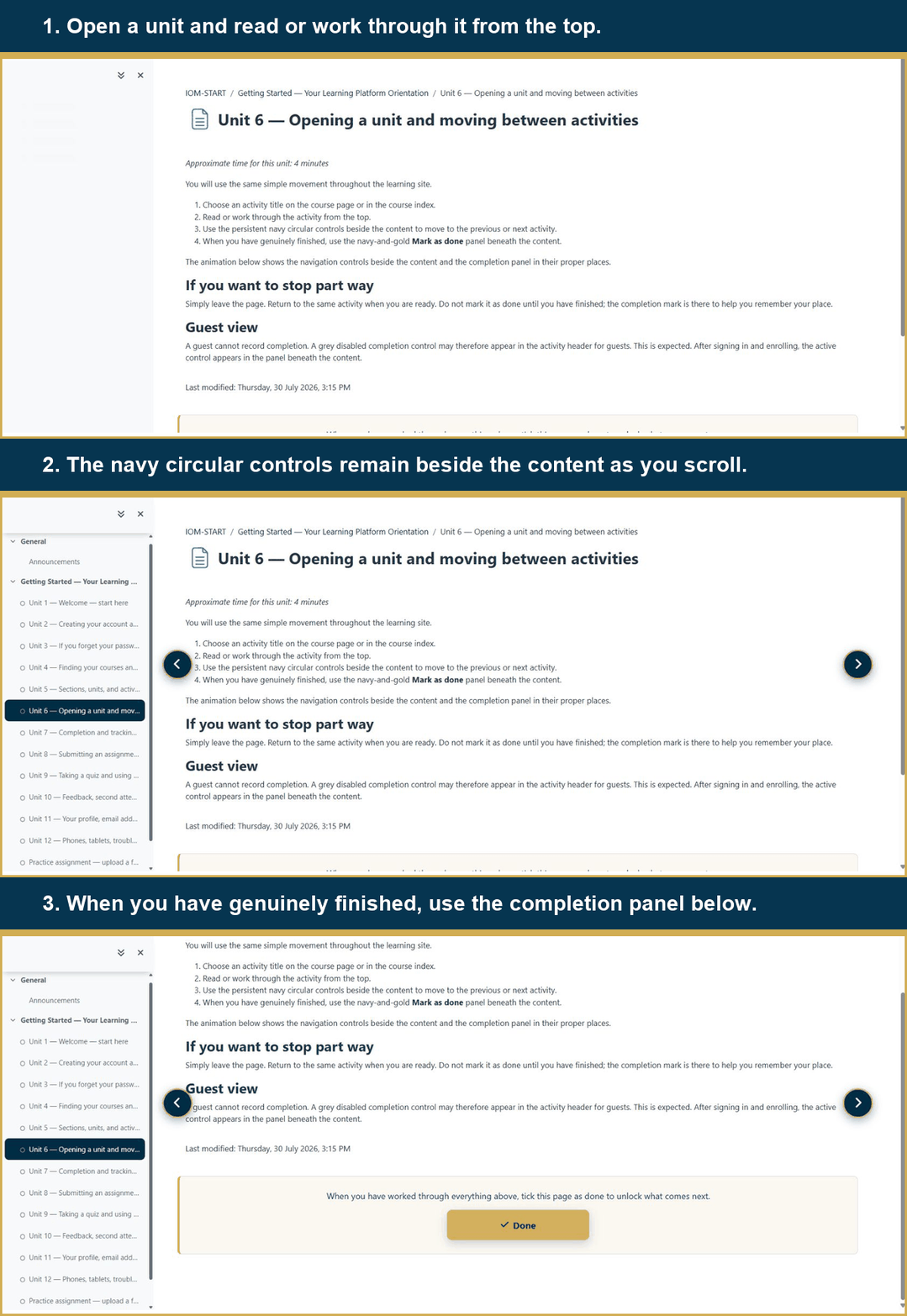
- Use the persistent navy circular controls beside the content to move to the previous or next activity.
- When you have genuinely finished, use the navy-and-gold Mark as done panel beneath the content.
The animation below shows the navigation controls beside the content and the completion panel in their proper places.
If you want to stop part way
Simply leave the page. Return to the same activity when you are ready. Do not mark it as done until you have finished; the completion mark is there to help you remember your place.
Guest view
A guest cannot record completion. A grey disabled completion control may therefore appear in the activity header for guests. This is expected. After signing in and enrolling, the active control appears in the panel beneath the content.
Last modified: Thursday, 30 July 2026, 3:44 PM