
Unit 7 — Completion and tracking your progress
Approximate time for this unit: 4 minutes
Completion tracking helps you see what you have finished and what should come next.
On an activity page
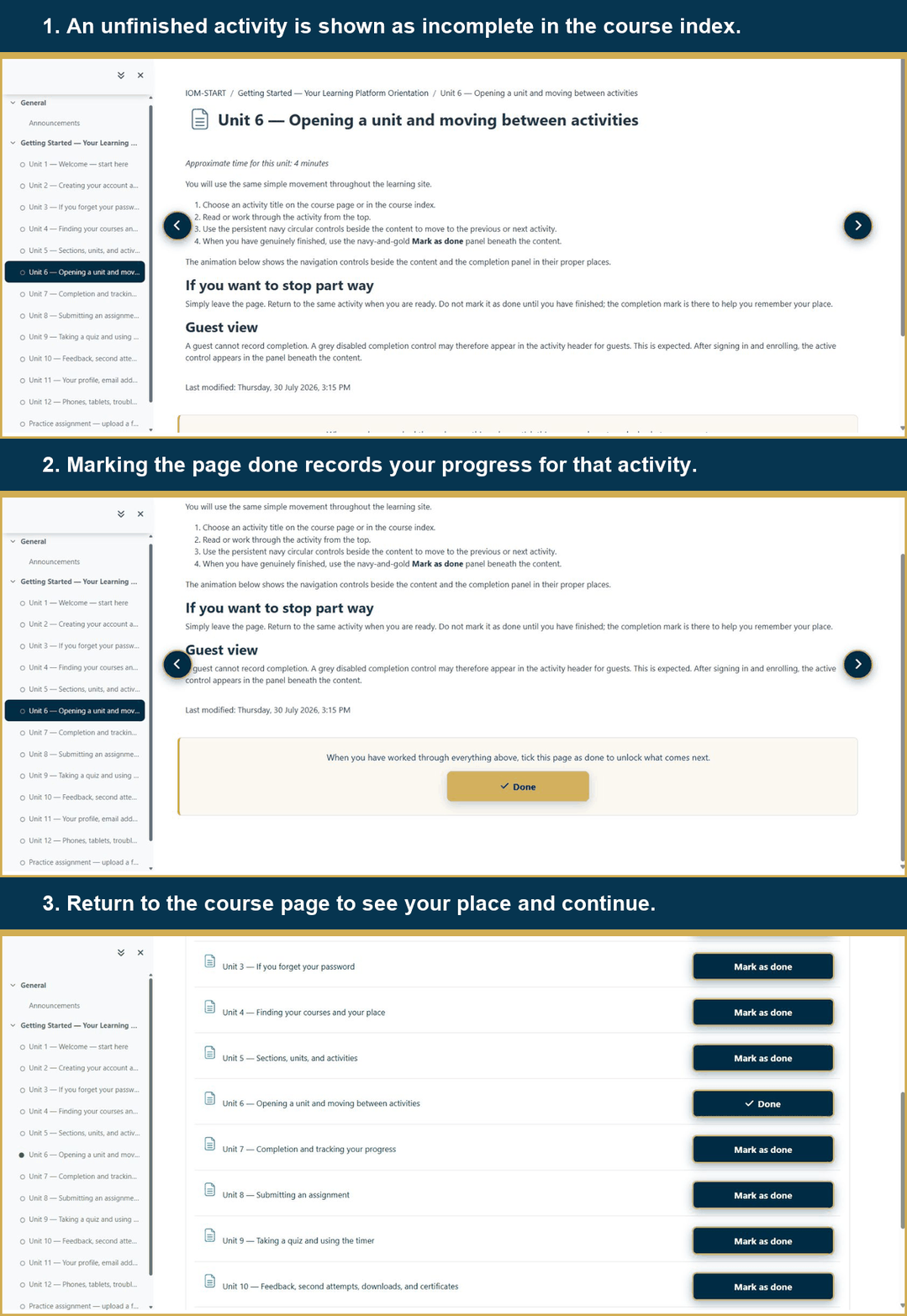
For an activity you complete yourself, use Mark as done beneath the content. The control changes state, and you may undo it if you clicked by mistake.
On the course page and in the index
Completion symbols beside activity names show which items are finished. Some activities complete automatically after a required action, such as submitting work or receiving a passing result.
On My courses
A course card may show a percentage. Treat it as a guide rather than a mark. The meaningful question is whether you have completed the activities required by that course.
The animation below shows a learner marking a page as done and then checking the updated completion state.
This orientation is itself a completion requirement. Once all twelve units and both practice activities are complete, your orientation remains complete for later Institute courses.